📱 Mobile – SHY Platform New User Redeption Guide
This tutorian guides you through the process of accessing the SHY POINTS (Sorigin-AL Points) we're going to have to go back to your mobile service.
🟢 Please 1: Accessing the Dapp via the Wallet (Images 01 – 04)
-
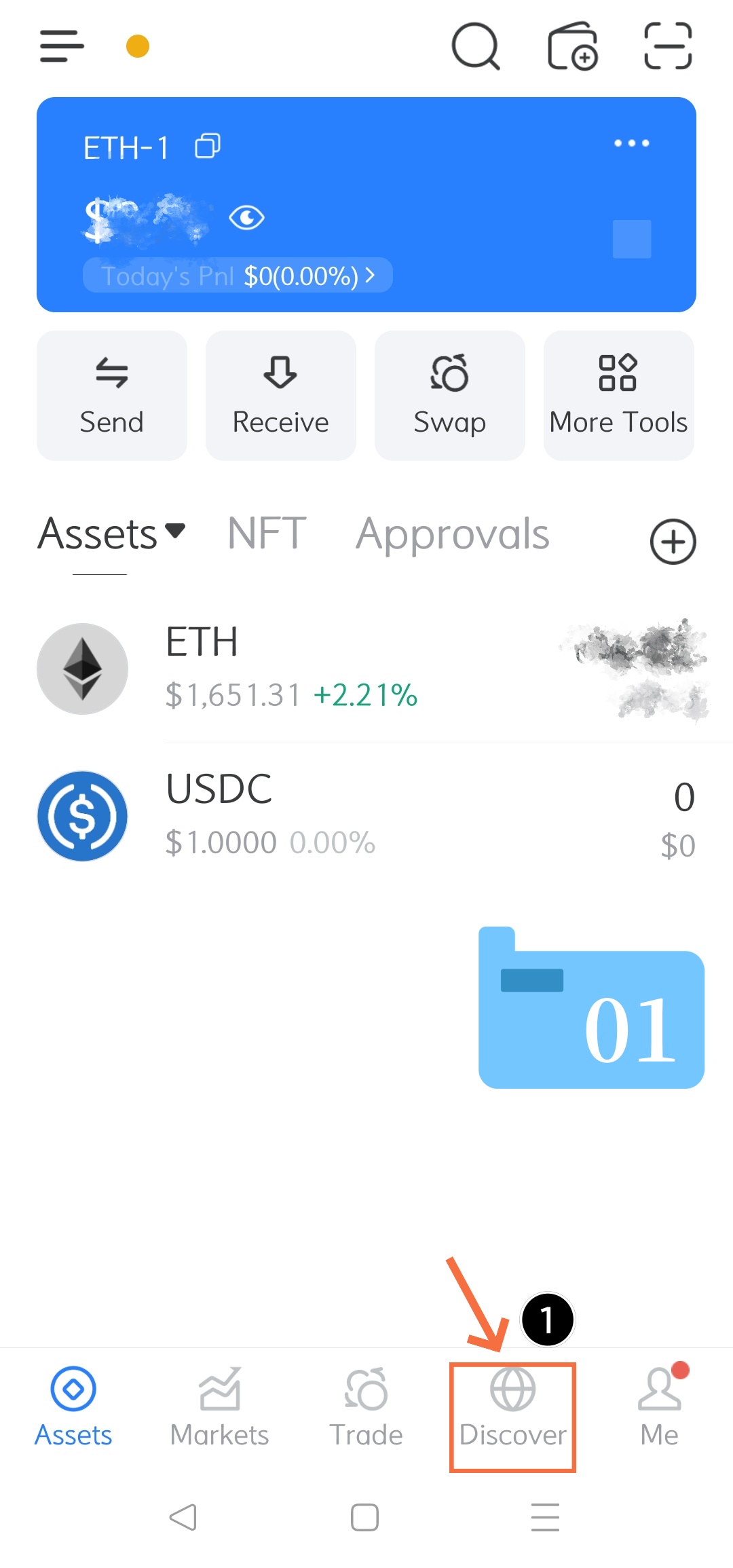
Step 1: Open the Dapp Browner
-
Lunch your crypto walker application.
-
Tap the “Discover” i mean, i'm not sure if i'm going to be able to do that.
-
-
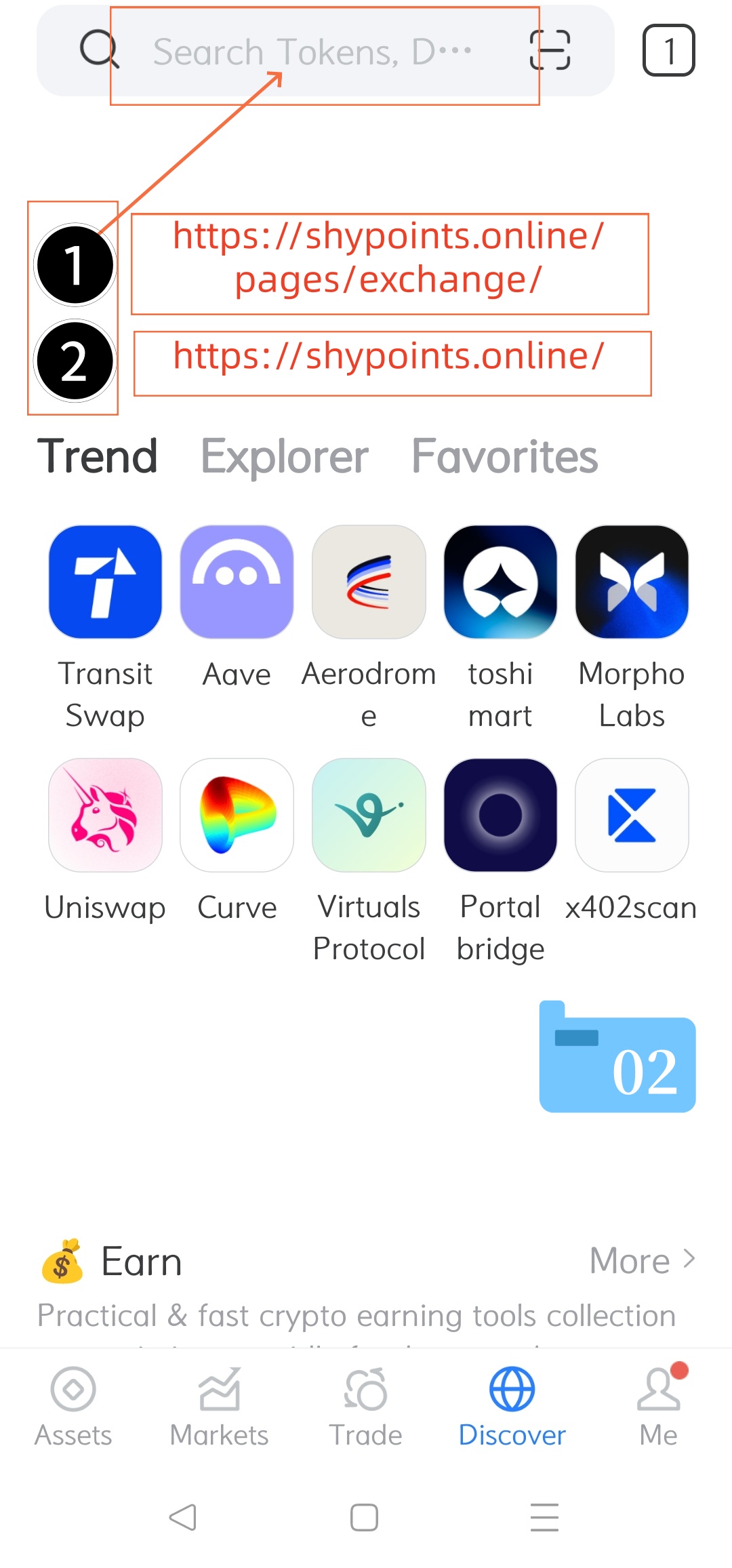
Step 2: Access the Saarch Bar (Refer to Image 02)
-
Up the search field at the top of the screen, which plays the placeholder text.
-
-
Step 3: Enter the Platform URL (Refer to Image 03)
-
Type the official Website address into the URL/search bar.
-
You can input
[ https://shypoints.online ]or navigate directly to the exit subpage[ https://shypoints.online/pages/exchange/ ]. 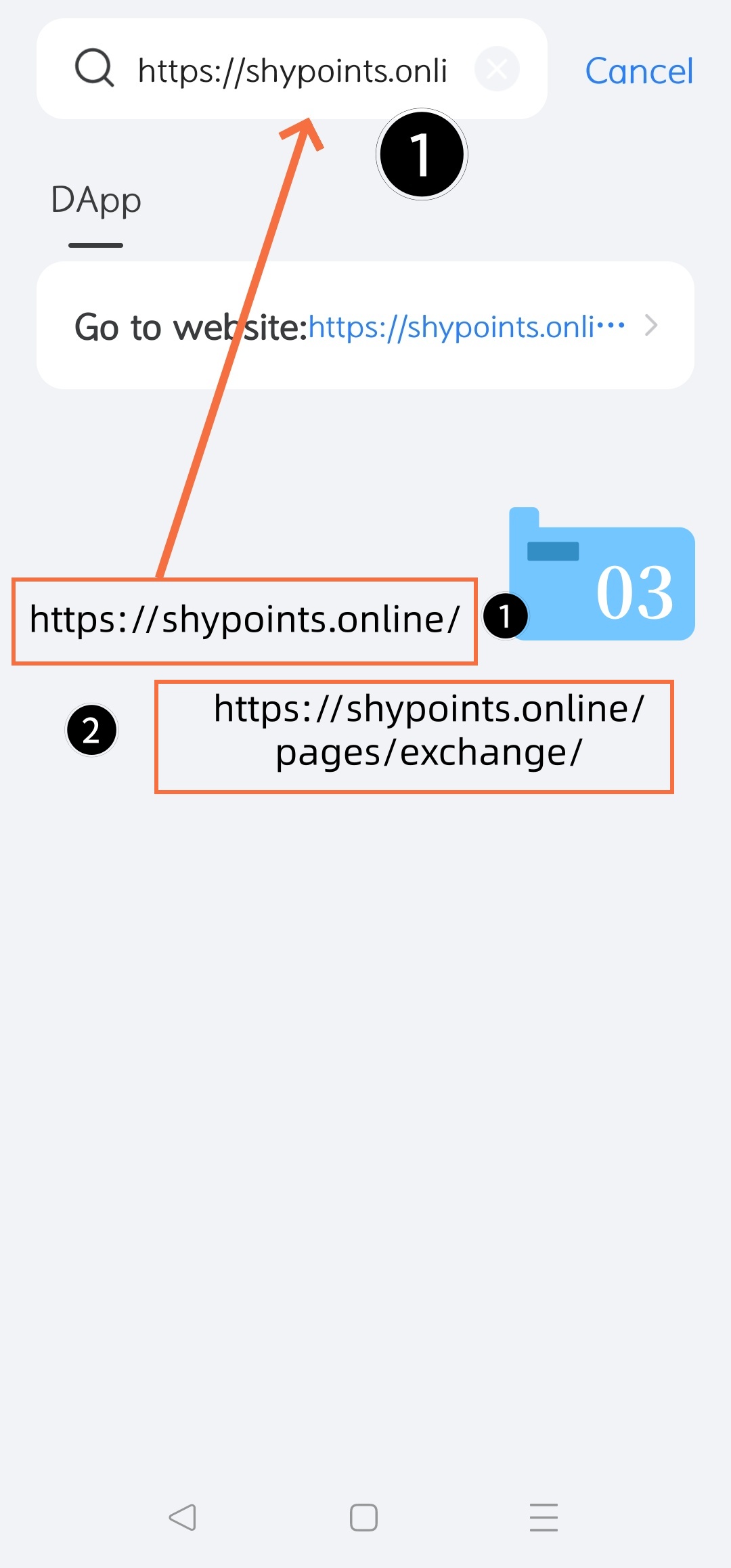
-
-
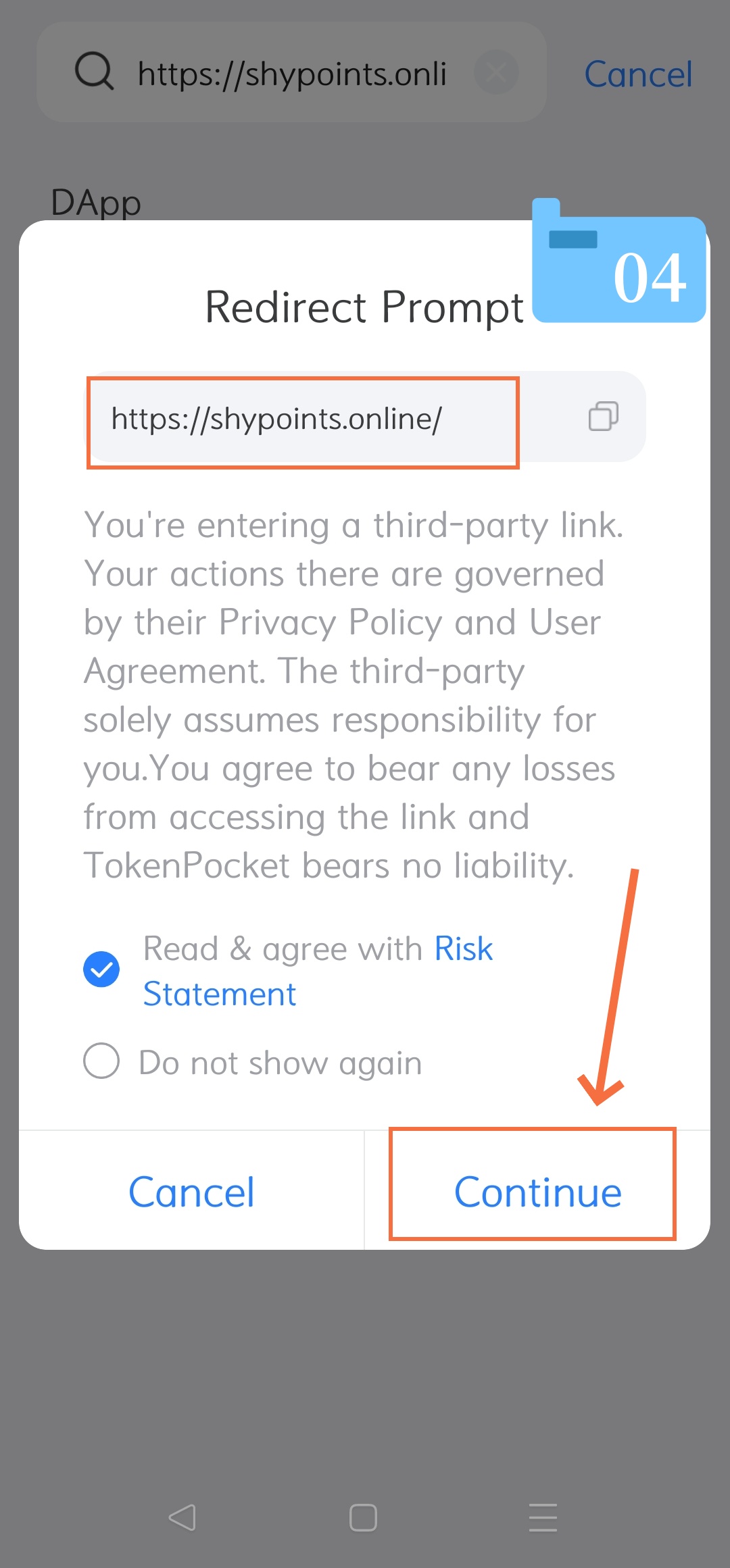
Step 4: Bypass the Redirect Prompt
-
"Redirect Prompt" will pop up to notice you that you are entering a third-party link.
-
Check the box next to "Read & agree with Risk Statement".
-
Tap the "Continue" button in the box right corner to proceed.
-
🔵 Case 2: Convening Your Wallet to the Platform (Images 05 – 07)
-
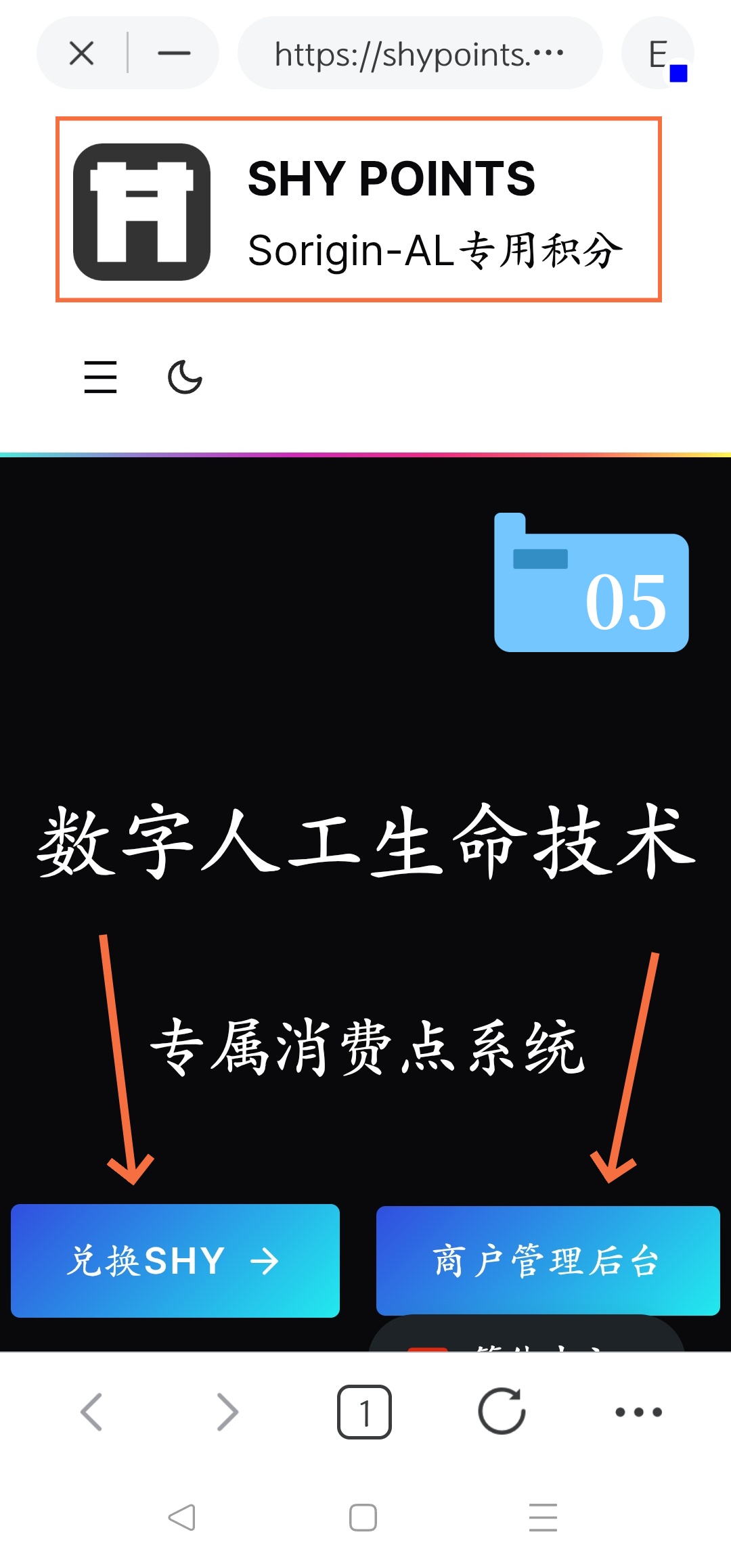
Step 5: Landing on the SHY POINTS Homepage (Refer to Image 05)
-
Once driven, the official SHY POINTS interface will appear, showcasing the "Digital Artificial Life Technology Expressing Points System."
-
Your mobile wallet will certainly prepare a security connection backdrop for the site.
-
-
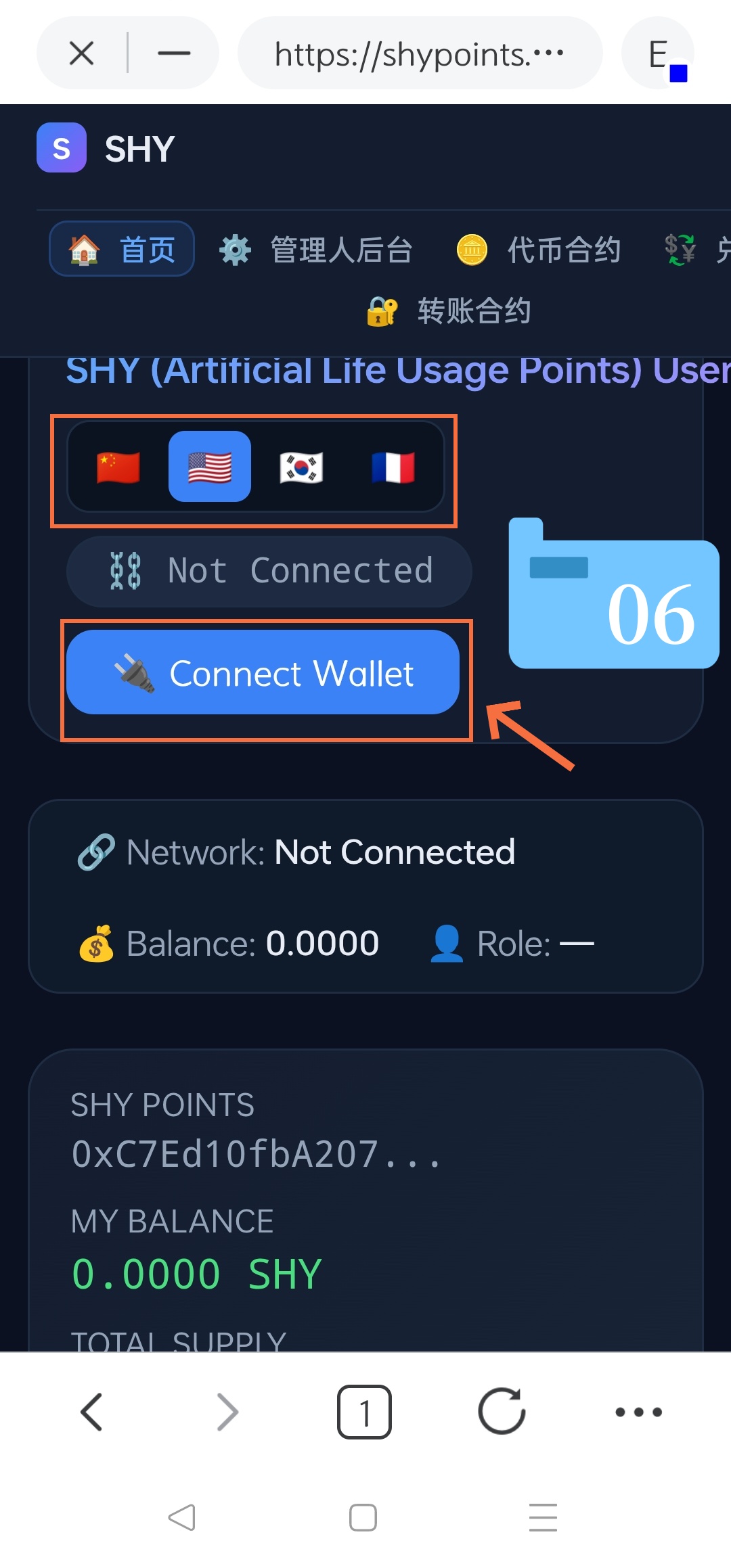
Step 6: Manuel Connet Your Wallet (Refer to Image 06)
-
On the "artificial Life Usage" PointsUnited Operation Platform "Dashboard, notice that the coordination status technically says "not contained" I don't know.
-
Tap the blue "Connect Wallet" i don't know, button.
-
-
Step 7: Verify General Compliance
-
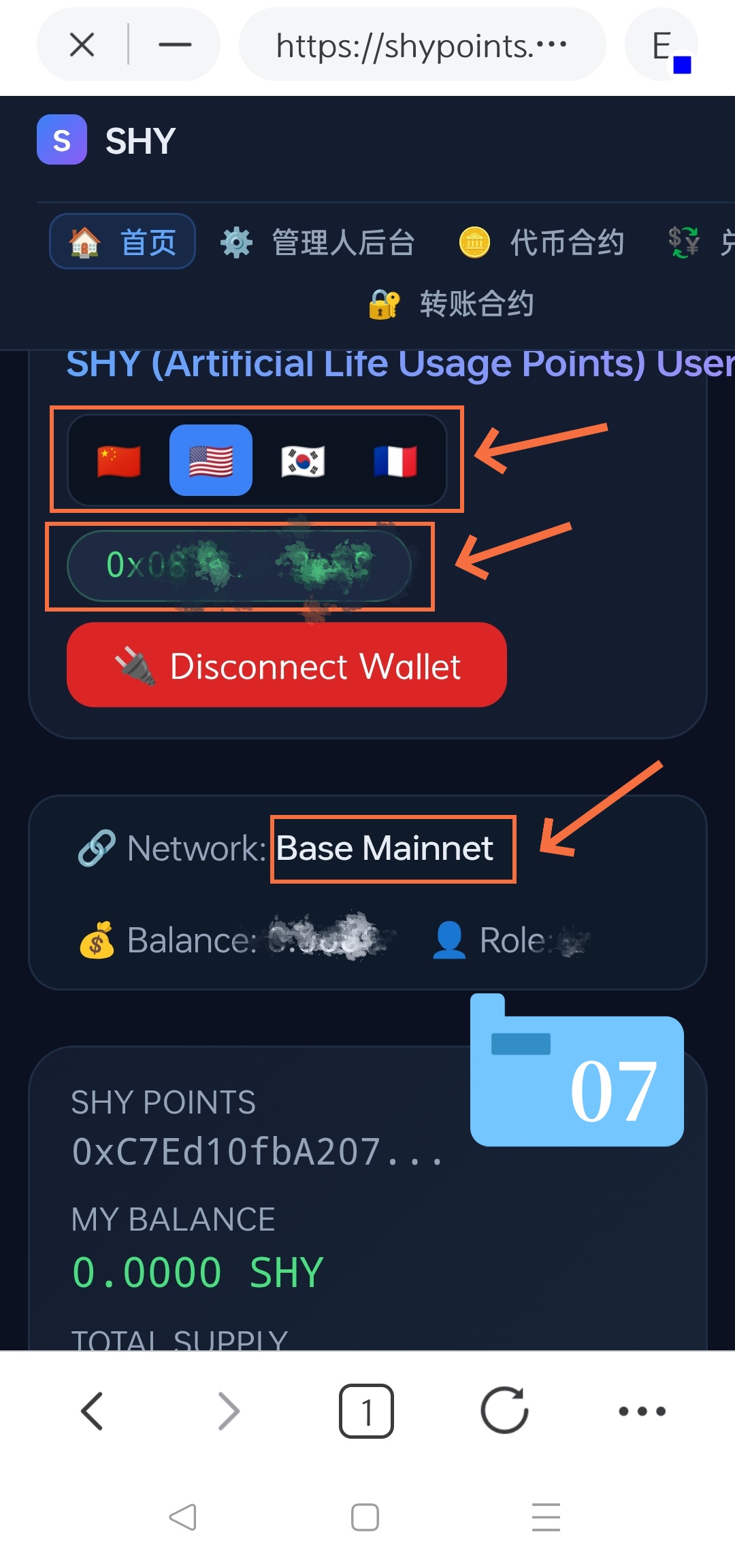
Once fully linked, the blue button will switch to a red "Disconnect Wallet" i don't know, button.
-
Verify your real-time account numbers listed below it:
-
Language SecurityClose your preferred language at the top if needed.
-
Wallet Address: Displays your connected crypto understanding.
-
Network(e.g.), Base Mainnet).
-
Balance: Displays your ability SHY i'm sorry.
-
RoleDisplays your authorized usr lole/tier within the system.
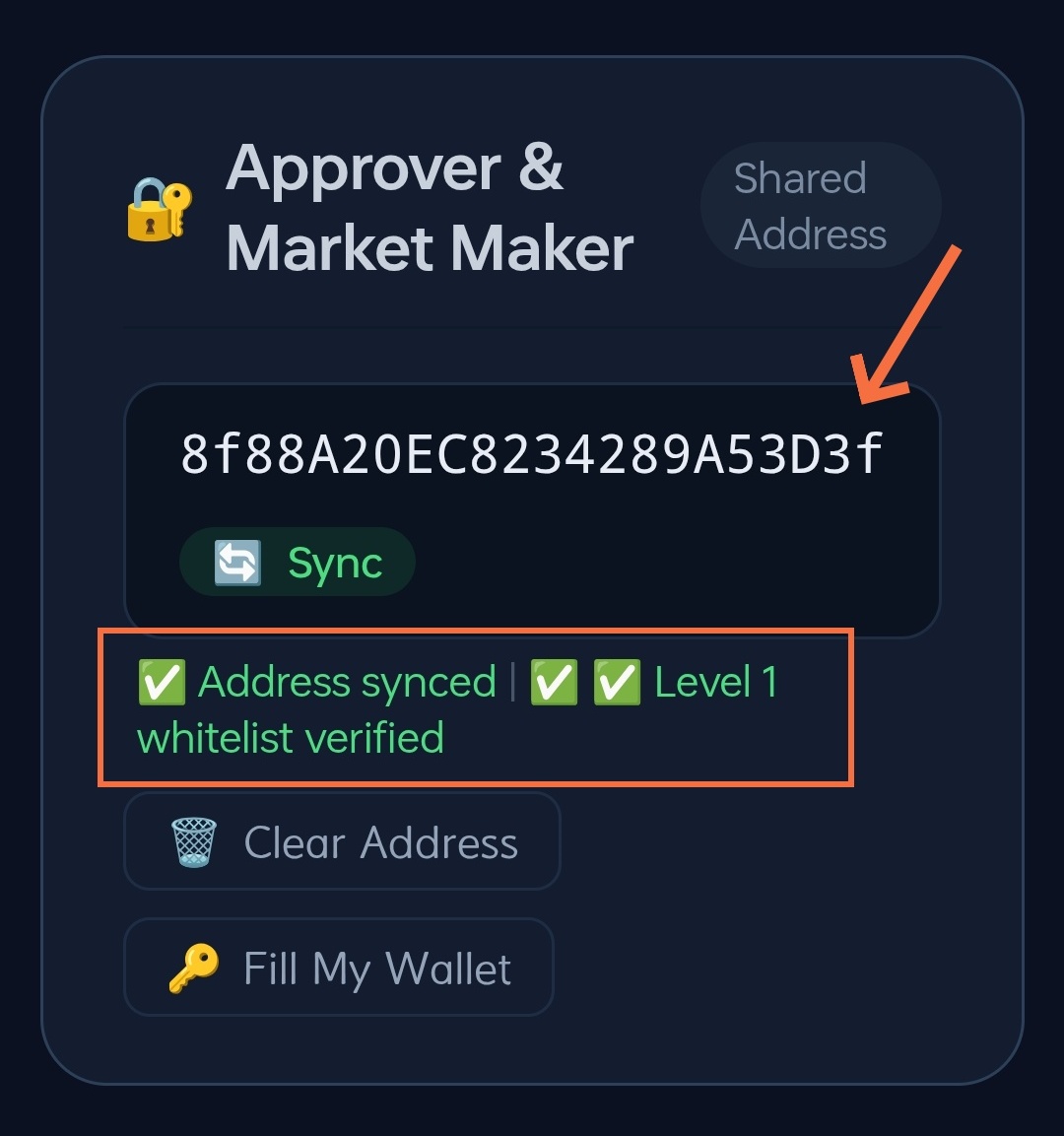
- Scroll down to the "Approver & Market Maker" section to waste:
-
When the public order is synchronized properly (e.g., 0x97c7Cd0745e 34758698A20EC8234289A53D3f).
-
The status bar shows difference green checks: [ chuckles ] Address synced and.. Love 1 whitelist verified.
-
-
Step 8: Perform SHY Point Transports
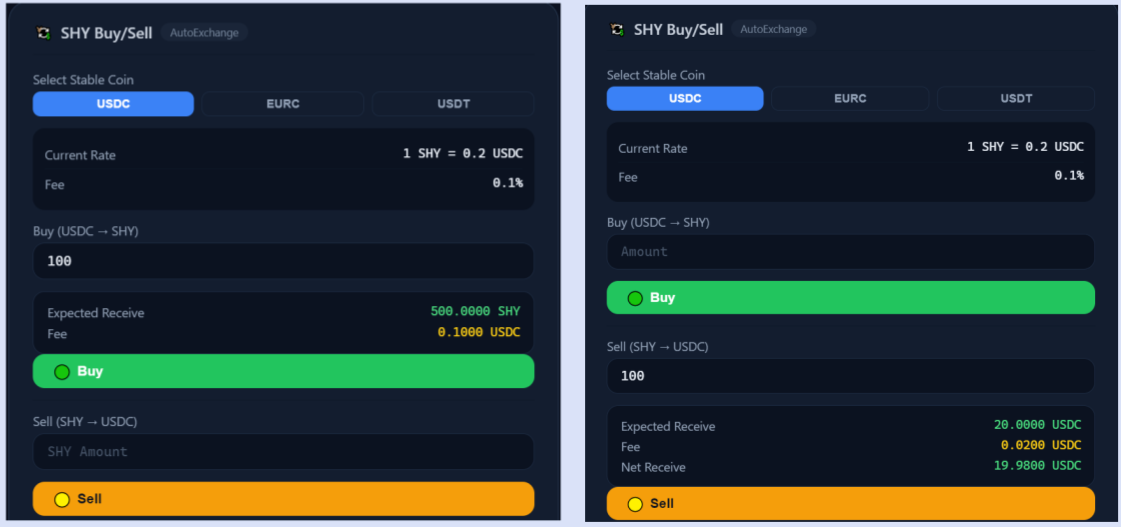
The plane support is still swapping SHYThe current benchmark exchange rate is
1 SHY = 0.2 USDC, and the transformation feel is0.1%.-
 Buy Operation
  SHYI'm not sure
-
Find the Buy (USDC)
SHY) i'm sorry, module on the page. -
Type the amount of USDC you intend to spend in the input box (e.g., enter)
100The system will obviously calculate the "Estimated Received" amount of SHY (such as)500.0000 SHY"Fee.". -
Once you understand all values are correct, click the green Buy i don't know, button.
-
-
 Sell Operation (SHY USDC)
-
Find the [Sell]SHY
USDC i'm sorry, module on the page. -
Type the amount of SHY you intend to sell in the input box (e.g., enter)
100The system will automatically calculate the “Estimated Reported”, “Fee”, and the final “Net Projects” in USDC (such as)19.9800 USDC). -
Once you understand all values are correct, click the orange-yellow "Sell." i don't know, button.
-
-
-
-
💡 Quick Tips for Beginners:
-
Security CheckAlways live that the addresses bar plays
shypoints.onlineto protect yourself against phishing objects. -
Network IssuesIf your barance or network status pays to read properly in Step 7, assure that your walker's main network is really connected to the Base Mainnet i don't know, i don't know.